Wayfinding Signage Design | Stop the Lost Visitors
Practical wayfinding signage design principles: consistent naming, type sizes that read at distance, arrow rules and signing the journey, not the building.
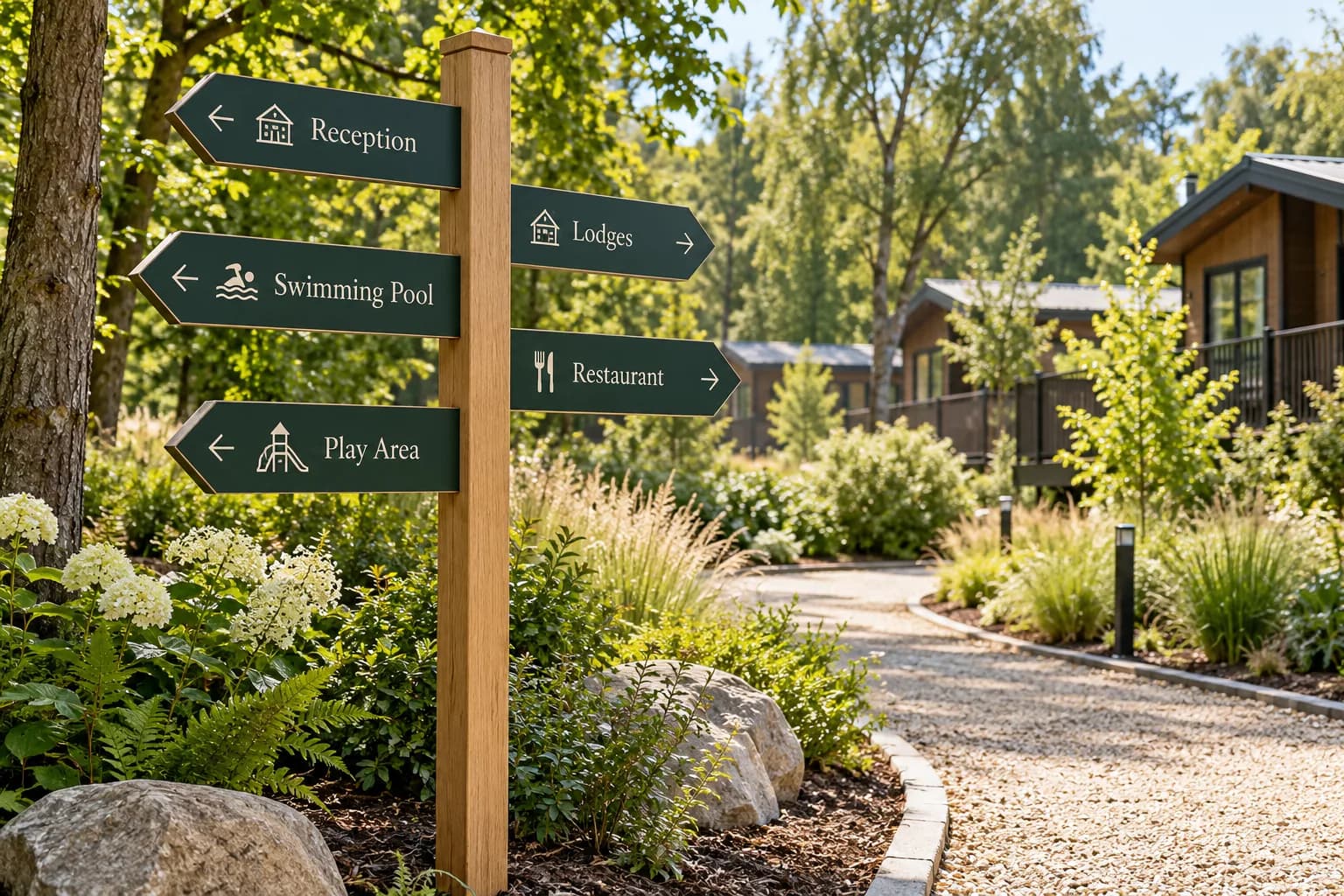
You can tell a site has a wayfinding problem without reading a single complaint form. Reception staff give the same set of directions forty times a day, there's a hand-written A4 sheet taped to a door somewhere, and someone has stuck a laminated arrow on a lamppost because the proper sign points the wrong way since the car park moved.
Most of the time the cause isn't a shortage of signs. It's that the signs describe how the site was built rather than how a visitor moves through it.
Start with the journey, not the buildings
Walk in as a first-time visitor who has never seen your site plan. Park where they park. Carry what they carry, which on a holiday park might be a toddler and a bag of shopping. Then write down every single point where you have to make a decision: left or right, through the gate or past it, up the steps or round the ramp.
Those decision points are your sign schedule. Not the buildings, not the departments, and definitely not a count of "we need about fifteen signs". Fifteen signs in the wrong places is worse than six in the right ones, because every redundant sign dilutes the ones that matter.
A leisure site we worked with in the south west had beautiful signs on every building. Lovely fabrication, proper posts, all consistent. The problem was that the only junction that genuinely confused people, a fork fifty metres inside the entrance barrier, had nothing on it at all. Visitors guessed, half of them guessed wrong, and the reception team spent the summer redirecting cars. One post at the fork fixed what fifteen building plaques couldn't.
Name things once and never rename them
Here's the one that quietly causes the most grief. The booking confirmation says "Lakeside Lodges". The entrance sign says "The Lakes". The map in the welcome pack says "Zone C". Staff on the radio call it "the far field" because that's what it was before it was developed.
All four are the same place. Your visitor doesn't know that.
Before anything goes to artwork, agree a single name for every destination and write it down in a list. Then that name appears identically on the website, the booking email, the vehicle entrance sign, every intermediate directional, the arrival sign at the destination and the map. Identical spelling, identical capitalisation, identical order of words. "Reception" everywhere, or "Welcome Centre" everywhere. Choose and commit.
The discipline sounds trivial until you've watched someone circle a park twice looking for a building that is right in front of them under a different name.
How big does the type need to be
Cap height drives legibility, not the overall sign size. The working rule we design to is roughly 25mm of capital letter height for every 10 metres of reading distance, for someone with reasonable eyesight, standing still, in decent light.
| Reading distance | Minimum cap height | Typical use |
|---|---|---|
| 3 m | 10 mm | Door plates, room numbers, close-up directories |
| 10 m | 25 mm | Pedestrian directionals, internal corridor signs |
| 25 m | 65 mm | Car park zone markers, pedestrian junction posts |
| 50 m | 125 mm | Vehicle directionals at low speed |
| 80 m+ | 200 mm+ | Entrance identification, approach signs from the road |
Add a margin wherever a driver is reading it. A person at 20mph has roughly a second and a half to take in a sign and act on it, so a vehicle directional needs bigger type and fewer words than you think. Three destinations maximum per vehicle sign. Four if two of them are very short words, and even then we'd push back.
Also: the font matters less than the weight and the spacing. A medium or semibold humanist sans with generous letter spacing beats a light weight of the same family every time at distance. Light weights look elegant on a flat screen at 400mm and disappear outdoors at 30 metres against a bright sky.
Contrast, properly measured
Mid-grey text on a mid-green panel is the single most common accessibility failure we're asked to fix, usually because the green came from a brand palette and nobody checked it against the text colour.
Aim for a luminance contrast of at least 70 per cent between the text and its background on external and directional signage, which is the level recommended for signs people need to read at speed or in poor light. In practice that means dark-on-light or light-on-dark, with no fence-sitting. White out of a deep brand colour works well. Brand colour out of white works well. Brand colour on a tint of itself does not, however nice the moodboard looked.
Two more things worth getting right while you're in the artwork:
- Avoid setting destination names in all caps. Mixed case gives words a recognisable shape and reads faster at distance.
- Keep arrows and text on a consistent baseline relationship so the eye doesn't have to hunt for the pairing.
Arrows have rules and people break them constantly
An arrow should point in the direction of travel. Up means straight ahead, not upstairs. Down means downwards, which on a flat site means it means nothing at all, so don't use it.
Group destinations by direction, order them by distance with the nearest first, and keep the arrow on the same side of the panel for every item in that group. Left-pointing arrows sit to the left of the text, right-pointing arrows to the right. Mixing the sides inside one group is the fastest way to make a perfectly accurate sign unreadable.
And confirm the decision. Once someone has turned left at your instruction, they want a small sign thirty metres later telling them they were right. Confirmation signs are cheap, usually single-sided, and they stop the second-guessing u-turn that clogs your access road.
What you can sort yourself, and what needs us
You can do the walk-through. You can write the naming list and get operations, marketing and reception to agree it, which honestly is the hardest part of the whole job and has nothing to do with print. You can photograph every existing sign, note what's faded, and mark up a site plan with the decision points.
What tends to need a printer in the room: working out cap heights against actual measured sight lines, checking contrast ratios in the brand palette before anyone falls in love with a colour, and choosing substrates and fixings for the exposure. A post-mounted panel on an exposed coastal park needs different thinking to an internal corridor sign, both in material and in how it's fixed. We'd also want to talk through which panels are likely to change, because designing those as replaceable slide-in inserts rather than full printed panels saves a lot of money the first time a unit gets renamed.
One more thing that affects cost more than people expect: the number of different sign sizes. A family of three or four panel sizes used across the whole site is considerably cheaper to produce and far easier to maintain than twenty bespoke sizes, and it looks more deliberate too.
If you've got a site plan and a list of the places people keep getting lost, send them over and we'll mark up where the signs actually need to go before anyone talks about artwork.
Got a project like this?
Send the brief or the artwork over and we'll tell you honestly what we'd do with it.
Talk to Us